Hex Setup Guide
Prerequisites
- A Hex Account with an Enterprise or higher plan
- Access to a Hex workspace with permission to create Workspace Tokens
Setup Guide
Step 1: Obtain Workspace URL and Workspace Token from Hex
- Login to Hex account and go to User Settings.
- Under the Account section, choose API Keys.
- Click New Token.
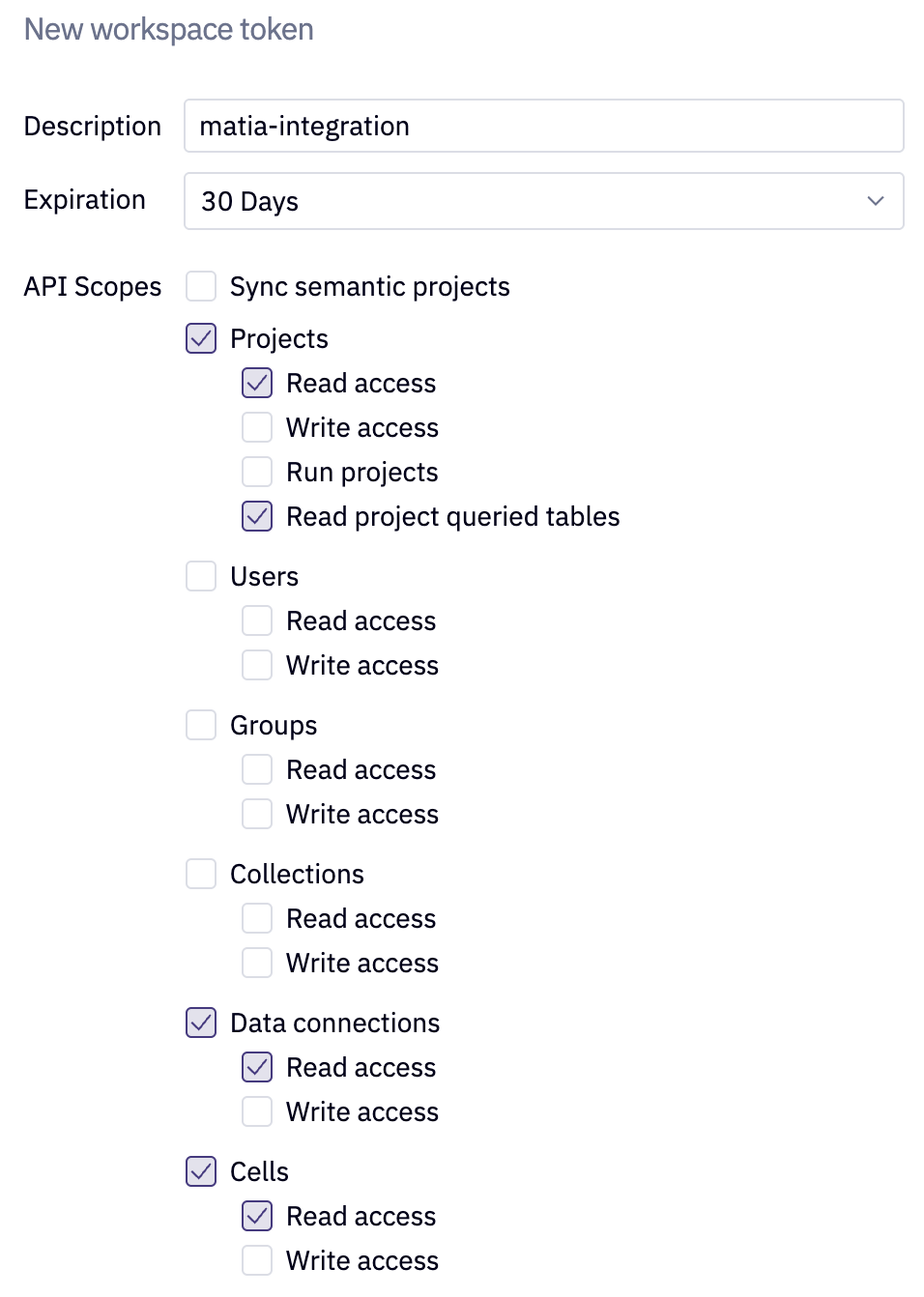
- Give an indicative name to your token, like
matia-integration - Choose an Expiration time frame for the token (this can be extended later or set to never expire)
- Choose the following API scopes:
- Projects - Read Access
- Projects - Read project queried tables
- Data Connections - Read Access
- Cells - Read Access
- Locate your Hex Workspace URL: The URL is composed of:
- Base URL – The primary domain of your Hex instance (e.g.,
https://app.hex.tech) - Site ID – The unique identifier for your workspace
Example:
https://app.hex.tech/<site-id>/
- Base URL – The primary domain of your Hex instance (e.g.,
Step 2: Complete Configuration in Matia
-
Enter the Hex URL you located in Hex.
-
Enter the Workspace Token created in Hex.
-
Enter a Name for the connector.
-
(Optional) Enter a Description for the connector.
-
Select the Owner of the connector.
-
(Optional) Click Test Connection to verify your Hex workspace is accessible.
-
Click Connect.